Verify identity
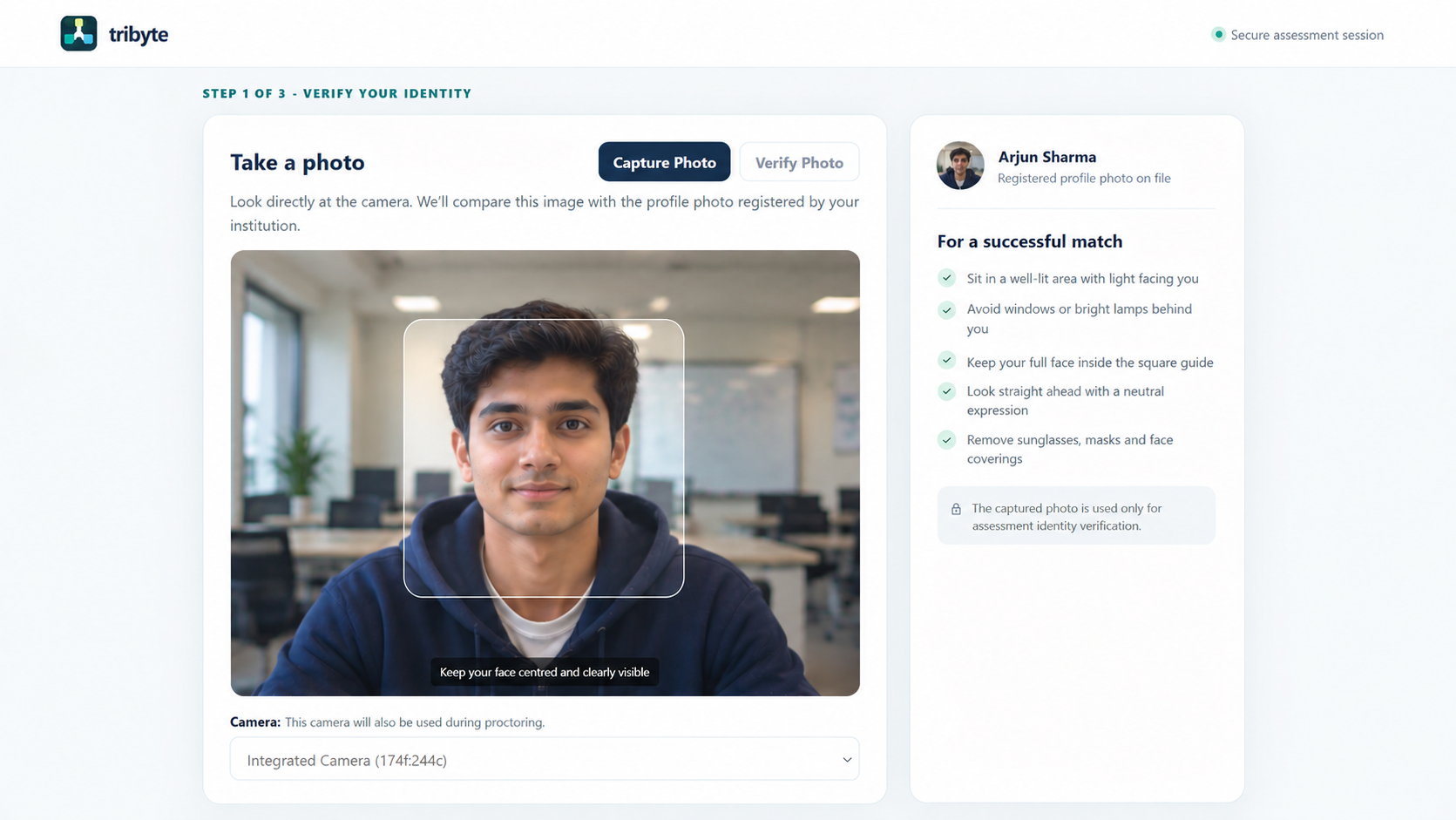
Capture a candidate photo, compare it with the registered profile and collect identification before the assessment.
MEET DASH PROCTOR
AI-assisted proctoring that connects identity verification, assessment monitoring and evidence review. In TriByte or your existing assessment platform.
Live + post-assessment analysis · Configurable monitoring
ONE CONNECTED ASSESSMENT JOURNEY
Establish who is taking the assessment, surface potential irregularities and give reviewers the evidence to make an informed decision.
Capture a candidate photo, compare it with the registered profile and collect identification before the assessment.
Analyse camera, audio and browser activity during the assessment, with further analysis after submission.
Examine scores, violations and recorded evidence before approving or rejecting an attempt.
START WITH THE RIGHT CANDIDATE
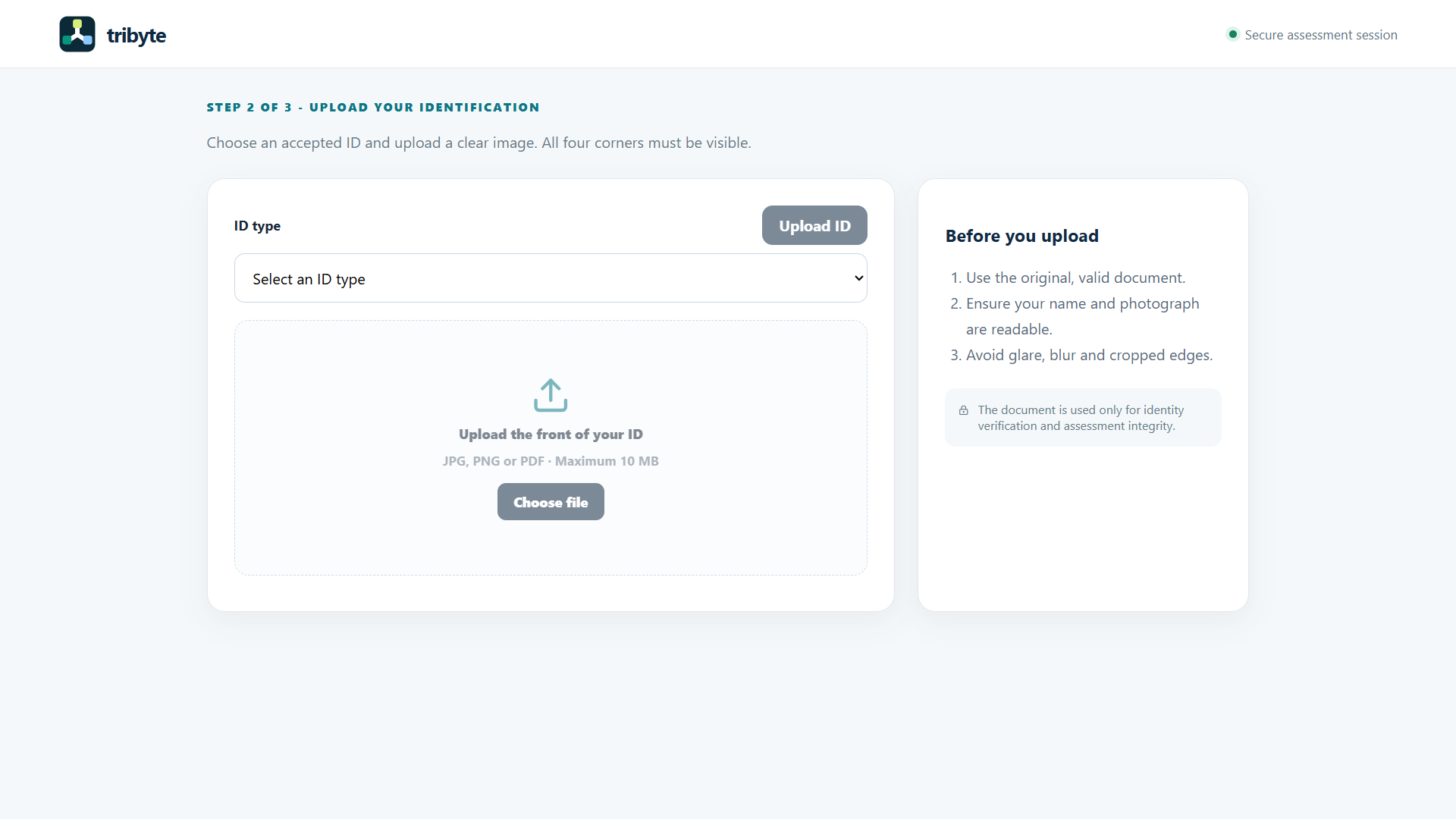
Guide candidates through photo capture and verification against their registered profile, followed by identification upload. Clear instructions help them prepare a readable photo and document.
IDENTIFICATION UPLOAD
Candidates select an ID type and upload a clear document image as part of the verification journey.
DURING THE ASSESSMENT
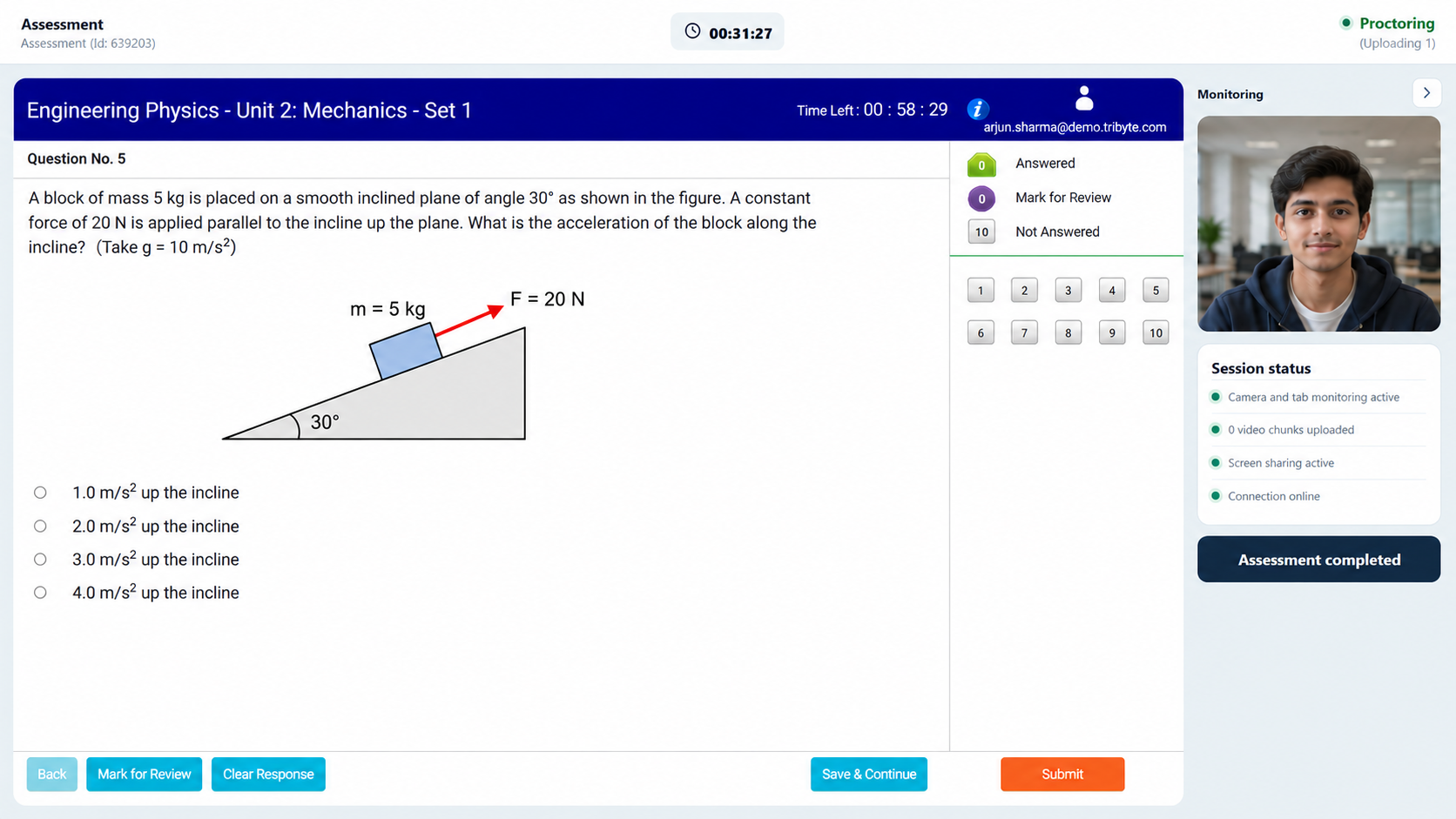
DASH Proctor analyses the attempt live and after submission, bringing camera, audio, tab activity and screen-sharing signals into the review process.
Candidate messages provide guidance while keeping interruptions limited. Potential irregularities are flagged for review; they are not automatic findings of misconduct.
CONFIGURABLE AI DETECTION
Choose the checks that fit your assessment. Review identity, environment, audio and session signals together, with context for each flagged event.
Identify changes in who is taking the assessment.
Surface unauthorised devices and changes in screen activity.
Bring speech and audio availability into the review.
Check that the candidate remains clearly visible.
Track interruptions and keep the assessment moving within configured limits.
Restrict access beyond the assessment with optional Safe Exam Browser protection.
ACTIONABLE EVIDENCE FOR EDUCATORS
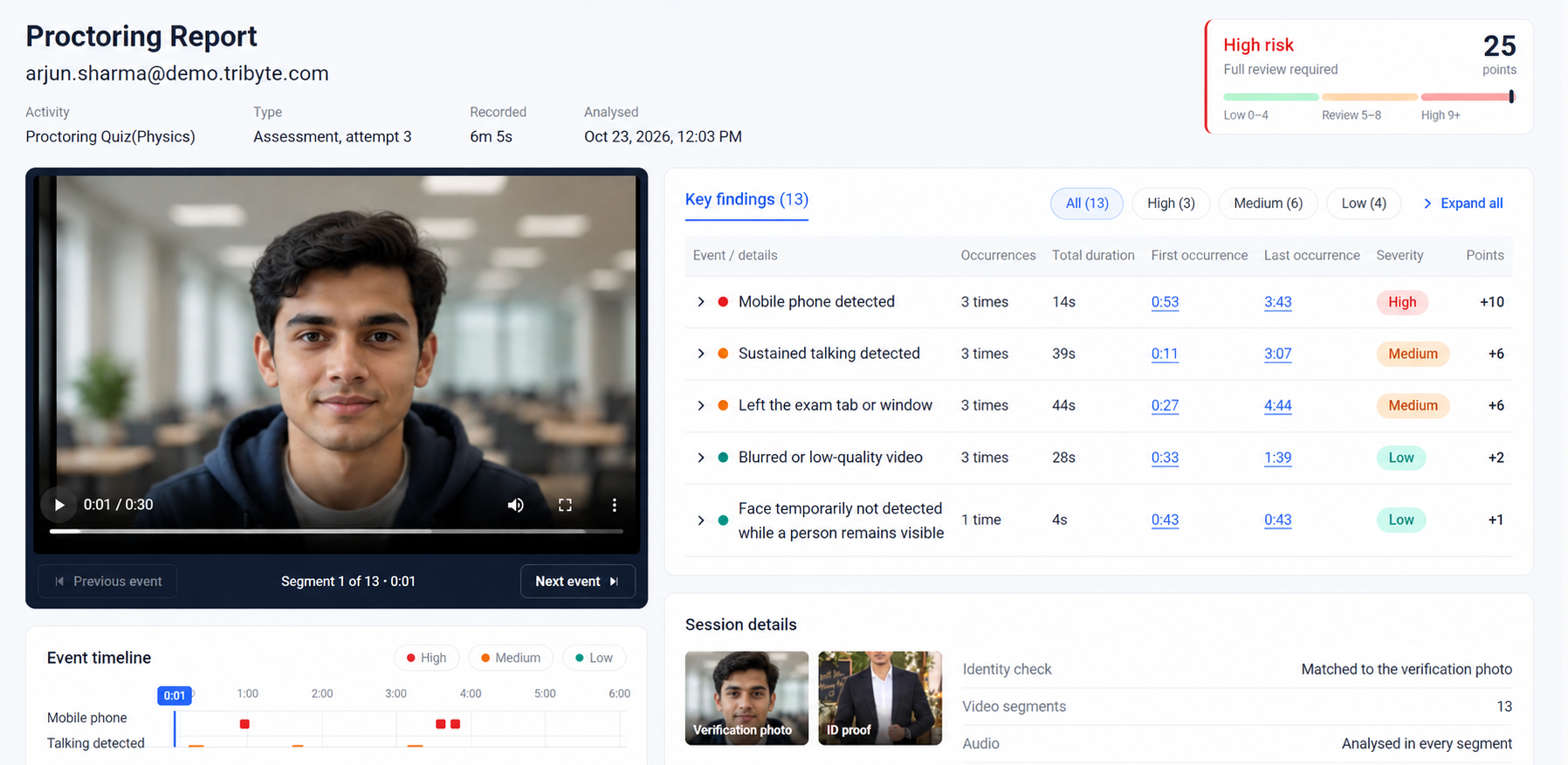
Move from a risk score to the moments behind it. Review flagged events alongside video evidence, then decide whether to approve or reject the attempt.
Use the proctoring score and severity filters to focus attention.
See occurrences, durations, timestamps and an event timeline.
Review video segments and identity evidence before making a decision.
BEYOND THE ONLINE QUIZ
Apply proctoring to online tests, file-upload activities and customised handwritten examination workflows.
Bring identity checks, configurable monitoring and evidence review into the digital assessment journey.
Use DASH Proctor with activities where candidates prepare and submit their work as files.
Customise the process for written work. In the standard flow, candidates show each page to the camera before scanning it with a mobile phone for upload.
YOUR PLATFORM. DASH PROCTOR.
DASH Proctor can integrate with other applications and assessment platforms, bringing AI-assisted proctoring into the systems you already use.
Talk to SalesOne connected journey from verification to review.
PRACTICAL DETAILS
Have a particular assessment or integration in mind? Our team can walk you through the right configuration.
Standard proctoring runs in a browser using a camera and microphone, without additional software installation. If Safe Exam Browser is enabled for the test, candidates need to install and use SEB.
Both. DASH Proctor analyses activity during the assessment and after the attempt is submitted. Candidate messages are designed to provide guidance with limited interruption, while flagged events remain subject to review.
Yes. Administrators can choose which violations to enable and customise the configuration to suit their assessment requirements. Safe Exam Browser is optional and configured as part of the test.
Data queues and the assessment can continue during an interruption, within the configured duration allowed by the platform. Your team can discuss the appropriate limit during setup.
Assessment data is managed in the cloud by the platform and retained for one year or according to the terms of your contract.
No. Reviewers examine the proctoring score, violations and supporting evidence, then decide whether to approve or reject the attempt.
The handwritten workflow is customised for the assessment. The standard process asks candidates to show each page to the camera, then use a mobile phone to scan their work for upload.
Contact our sales team or fill in the enquiry form to discuss your assessment volumes, configuration and integration requirements. Contact Sales →
SEE DASH PROCTOR IN ACTION
Explore identity verification, monitoring and evidence review for your platform and assessment formats.